

For the latest information on shipping costs, bulk shipping eligibility, how many items can be packed in each bulk shipment and more, visit our Help Centre.
Products from different categories cannot be bulk shipped together. Sneakers can only be bulk shipped with other sneakers, apparel orders can only be bulk shipped with other apparel items, trading card orders can only be bulk shipped with other trading card orders, collectibles can only be shipped with other collectibles orders, and accessories can only be shipped with other accessories orders. Bulk shipping different product types together may result in your order being cancelled.
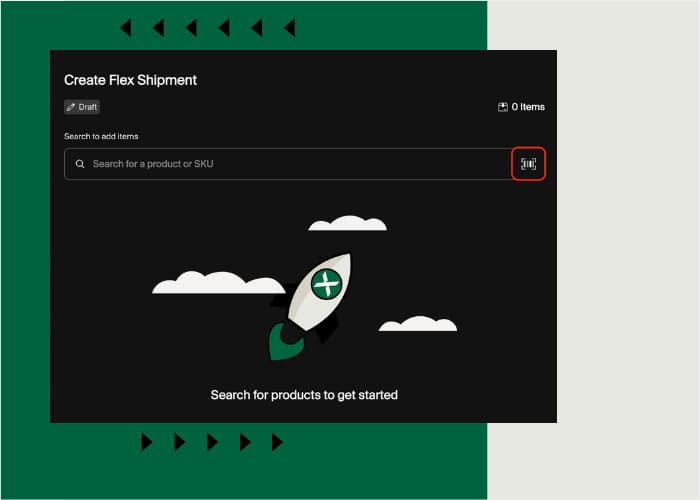
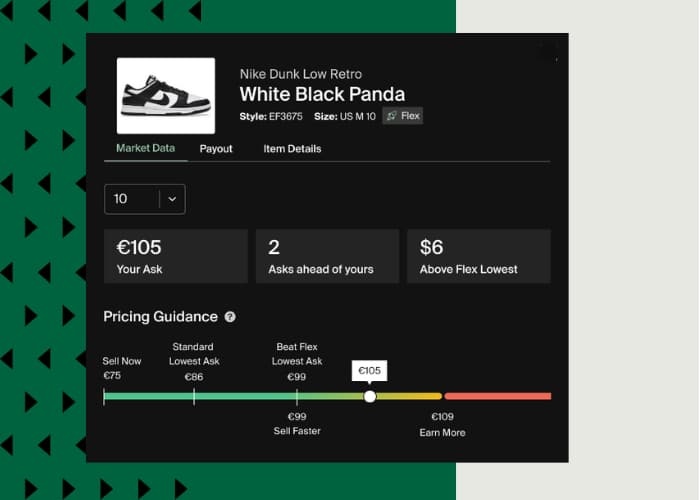
NB: Sellers in our Flex programme can send bulk shipments containing items from different verticals. Instead of shipping your items when matched with a Buyer, Flex allows selected Sellers to store items at a StockX Verification Centre, and list and sell them. Once a sale is completed, StockX will fulfil the order directly from the Verification Centre to Buyers with expedited shipping, and you’ll get paid as soon as we process your order.
Learn more about Flex here.
How to Bulk Ship
- Once your items are sold, visit your StockX profile, go to the “Selling” tab, select “Pending” and choose the items you want to ship together.
- Select “Box Items” at the bottom of the screen and confirm that you have selected the correct items for your bulk shipment.
- Select “Create Shipment” to generate a shipping label. You will see your bulk shipment with your items in the “Pending” section, where you can “View” or “Print Label”.
- Select “Print Label” and follow the bulk shipping instructions.
Things to Remember
- Each invoice MUST be placed inside the packaging or affixed to each corresponding order.
- Sold items must still be shipped within 2 working days, whether they are shipped in bulk or individually.
- If you run into issues when generating the shipping label, please delete your bulk shipment and create a new one.
- Avoid including double-sided invoices. Print an individual invoice for every item in your bulk shipment instead.
- Make sure the correct invoice is included with each corresponding item.
- Make sure that you use the bulk shipping label. Any individual labels from your shipping carrier affixed to bulk shipping parcels will only be able to track the individual items that they correspond to. All other contents will not be tracked! Don’t put your shipment at risk!
- You can edit or delete bulk shipments on stockx.com, the mobile app or StockX Pro.
- To ensure that your shipment is tracked accurately, please only include items that you’ve added to the bulk shipment on stockx.com or your app.
- Do not split up your bulk shipment.
- Ensure multi-item products are packaged together.
- Remember to keep the drop-off receipt from your shipping carrier! This helps us follow up on any issues with your shipment.
Please refer to our Help Centre article for any further questions about bulk shipping on StockX.
Sneaker Bulk Shipping Guide
How should I pack the box?
Sellers are still responsible for the condition of the sneakers and their boxes, so pack carefully! Here’s the best way to make sure the sneakers get to StockX safe and sound so that you can get paid:
- Open the shipping box and close the bottom flaps. Secure the bottom of the box with packing tape.
- Place sneaker boxes in the shipping box vertically.
- Use paper or bubble wrap to fill any empty spaces in the shipping box. Make sure that you use paper or bubble wrap to fill the larger gaps in the shipping case.
- Close shipping box flaps and secure using packing tape.
Things to Remember for Sneaker Bulk Shipments
- Invoices and the order sheet itemising all the sales must still be placed inside each sneaker box.
- Pack carefully! Sellers are still responsible for the condition of the sneakers and their boxes. See our sneaker box conditions guide here.
Apparel Bulk Shipping Guide
View the video below for a step-by-step on how to bulk ship apparel items.
How to Pack Your Apparel Bulk Shipment Box
- Open the shipping box and close the bottom flaps. Secure the bottom of the box with packing tape.
- Place the invoice for each item into its corresponding bag or packaging. If the item does not come with original packaging, place the invoice and product into a separate bag. Use a rubber band to fasten the invoice and ALL RELATED ITEMS together so that they do not become separated during transit.
- Pack your orders neatly into the bulk shipping box.
- Use paper or bubble wrap to fill empty spaces or larger gaps in the shipping box.
- Close shipping box flaps and secure using packing tape.
Things to Remember for Apparel Bulk Shipments
- Apparel items cannot be shipped in bulk with other product types such as sneakers or trading cards.
- Bulk shipments should be sent together in a box, not in a plastic bag.
- Invoices must still be placed inside the bag/packaging of each item.
- Pack carefully! Sellers are still responsible for the condition of their orders.
What types of apparel items are eligible for bulk shipping?
All types of wearable apparel items are eligible for bulk shipping. Bear in mind that socks and underwear are classified as Accessories and cannot be bulk shipped.
Trading Card Bulk Shipping Guide
View the video below for a step-by-step on how to bulk ship trading cards.
How to Pack your Bulk Shipment Box
Sellers are still responsible for the condition of the items and their packaging, so pack carefully! Here’s the best way to make sure your items get to StockX safe and sound so you can get paid.
- Open the shipping box and close the bottom flaps. Secure the bottom of the box with packing tape.
Attach each invoice to its corresponding order.
Graded Singles:
- Wrap the item in bubble wrap, put a rubber band around it, then place the invoice under the rubber band.
- Individual Boxes: Place a rubber band around the box, then put the invoice under the rubber band.
Box Lots:
- Place units into a small box, place the invoice into the smaller box on top of the items, then seal the small box with packing tape.
- Pack your orders into the bulk shipping box.
- Use paper or bubble wrap to fill empty spaces or larger gaps in the shipping box.
- Close shipping box flaps and secure using packing tape.
What types of trading card items are eligible for bulk shipping?
All trading card items are eligible for bulk shipping.