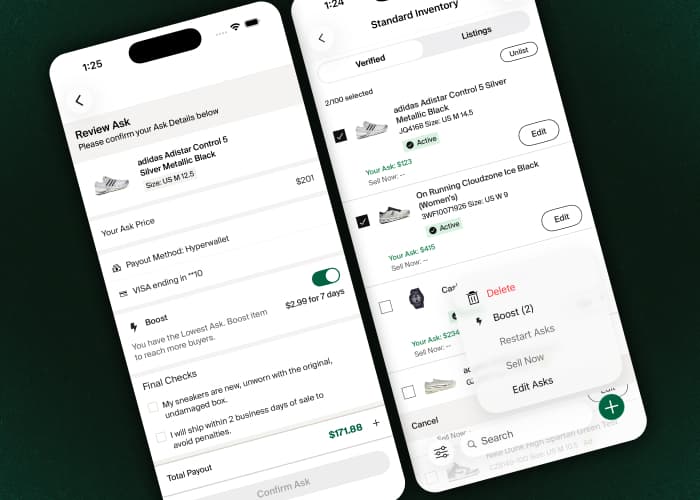



The StockX Shopify App has always made it easy to list new, catalog-matched inventory directly from your Shopify store. But what about everything else sitting in your warehouse: the used pairs, the pre-owned pieces, the one-of-a-kind finds that aren’t in our catalog yet?
We have a fix for that.
Introducing Shopify Listings: a new way to list used, pre-owned, and unique products on StockX, right from your existing Shopify workflow.
What’s New
- List used inventory: Add photos, flag any imperfections, and include condition notes so buyers know exactly what they’re getting before they buy.
- List products not yet in our catalog: Have something rare or unique? Submit it for review, and once approved, it’s added to the StockX catalog and ready to list.
- Less manual work: Set the StockX condition metafield in Shopify and it carries over automatically. Heads up: if it’s left blank, the item is listed on StockX as New (with box and accessories), so double-check condition on used items before publishing.
Why This Matters
Used and rare inventory is often inventory that has nowhere to go. It’s too specific for general resale and too valuable to write off.
Shopify Listings opens that inventory up to StockX’s audience, while keeping the same transparency buyers expect: real photos, honest condition notes, and a clear review process behind every listing.
Getting Started
- Open the StockX App in your Shopify Admin and head to the Selling tab.
- From there, map your products to the StockX catalog, fill in listing details like size, condition, and price, and activate once you’re ready.
- Have something not in our catalog yet? Submit it for review; you’ll get an update once it’s approved. Either way, nothing goes live without your final sign-off.