

Auto-Listing for Direct Listings is now available, saving you time by allowing you to significantly reduce the number of active Listings you need to manage at once. For more information about the StockX Verified Seller Program, which is available by invite-only to select StockX sellers, visit our Help Center.
When you set up Auto-Listing for a SKU, it automatically relists a Listing from your Unlisted Direct Inventory after a sale at your last sale price. If there are no more Unlisted Listings for that SKU, it will no longer relist.
To get started:
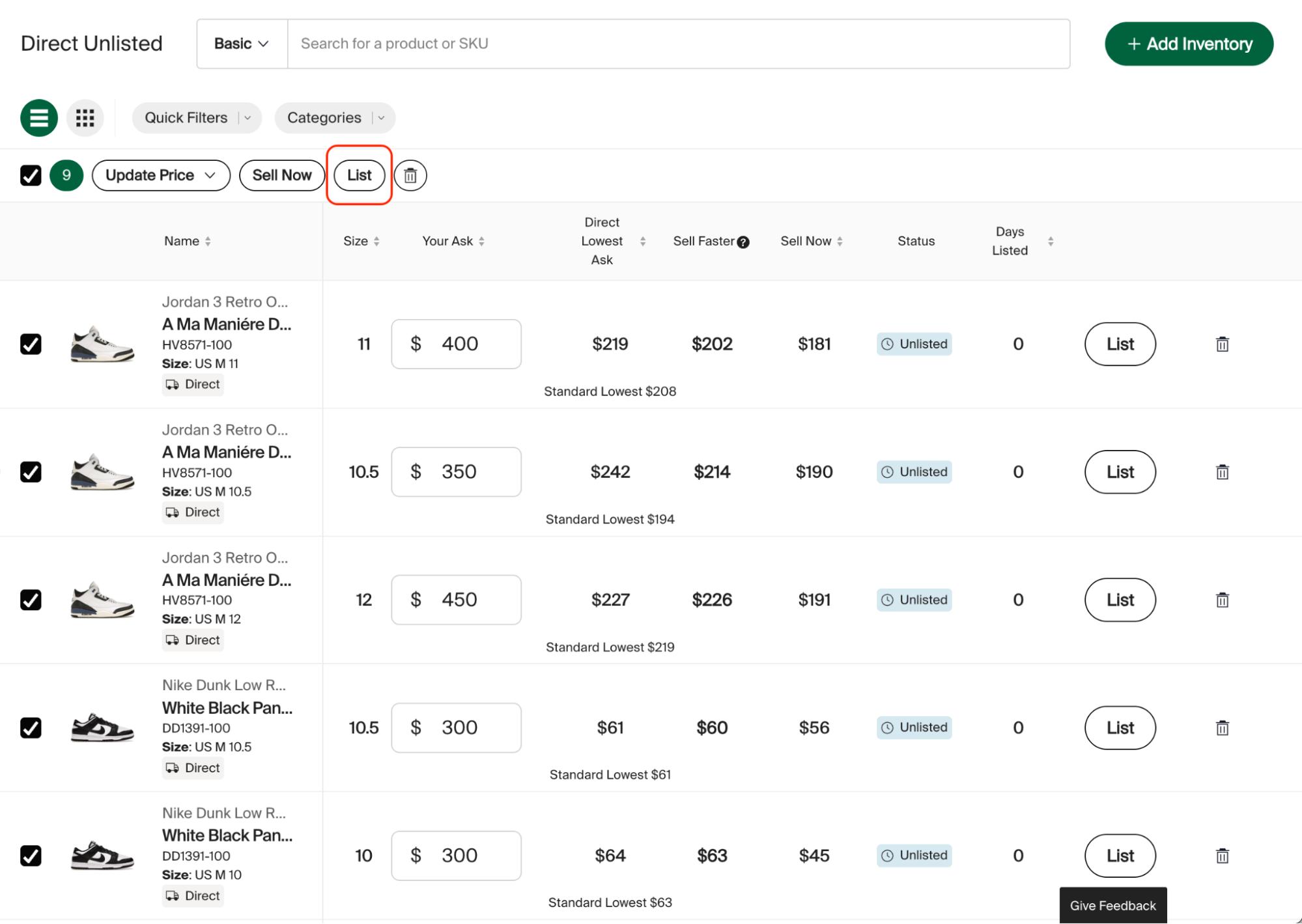
- Select the SKUs you want to automatically replenish
- Click the “List” Bulk Action:
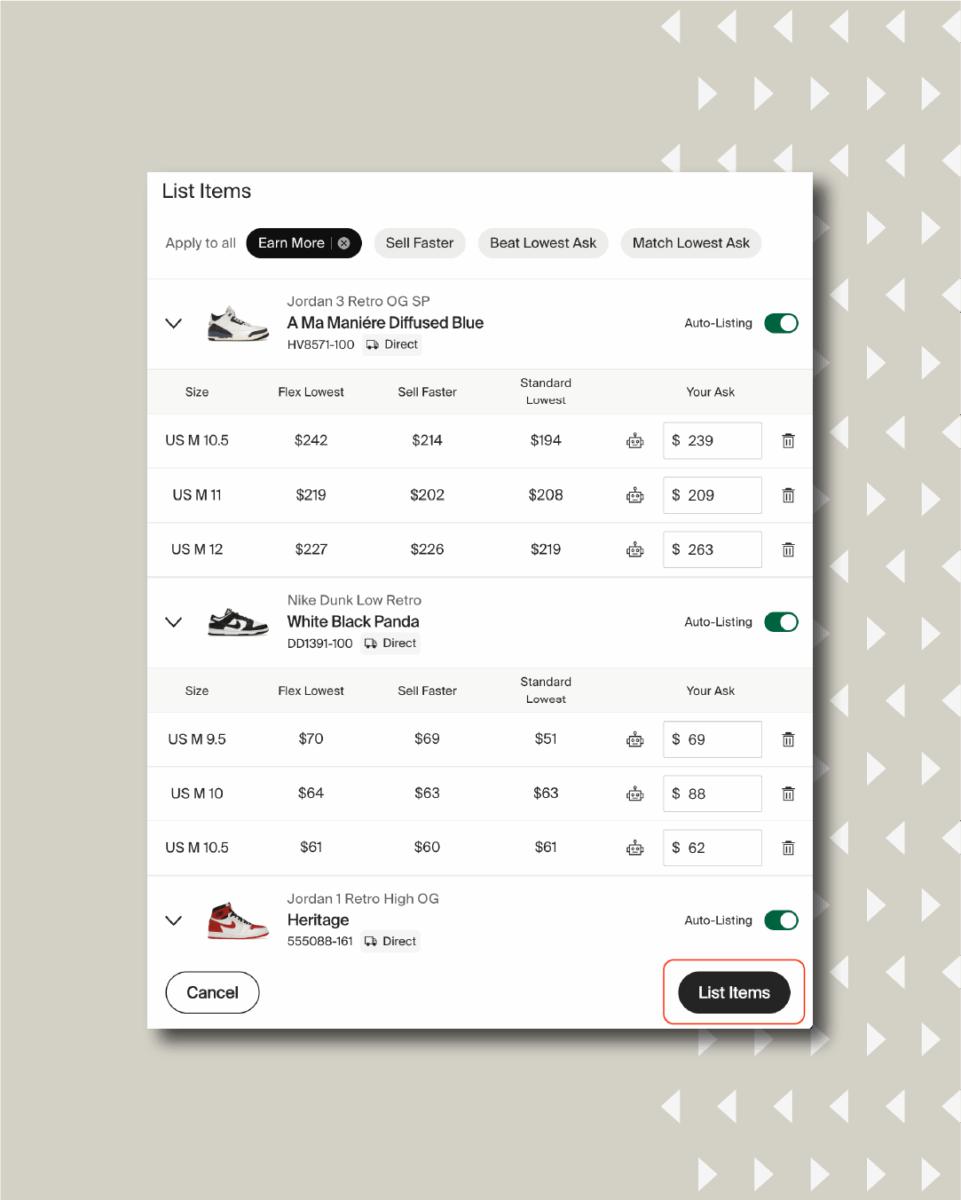
- Toggle Auto-Listing for each product:

- Click “List Items”

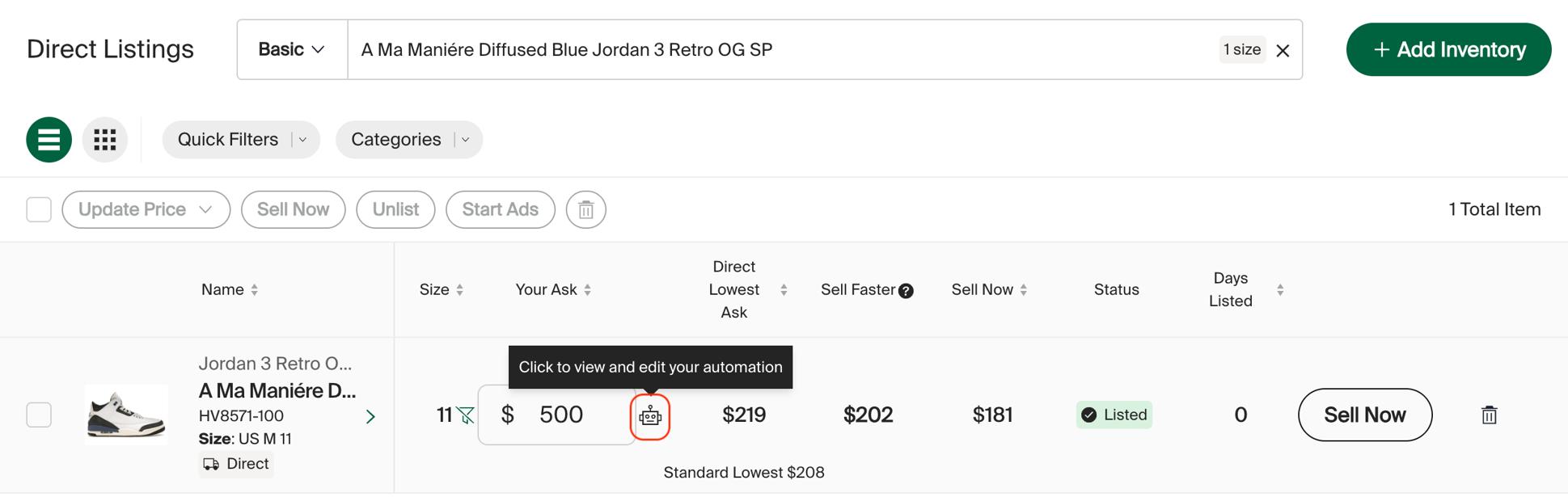
- You can see which SKUs are auto-listed because they’ll include a robot icon: